
Flowith Canvas 3.0: agents work on the same canvas
On this page
In April 2026, Canvas 3.0 added a way for an external agent to put work directly on a Flowith canvas. The launch recording above shows the product at release. It is not a record of every model or mode available today.
Review the work where it happens
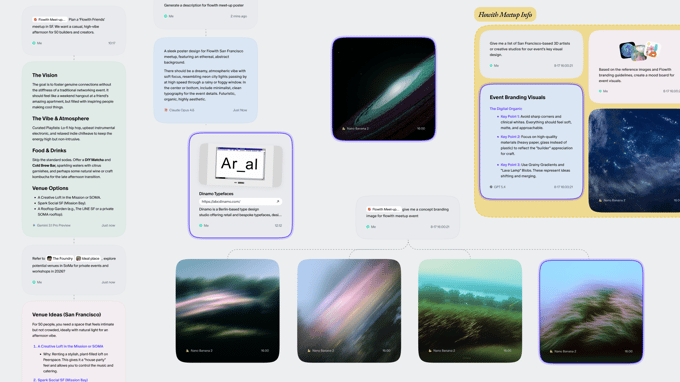
An agent can put a result on the canvas as a node connected to the input it used. In the launch example, the input and output sit together instead of being split between a canvas and a terminal transcript. For a reviewer, the useful question is simple: which brief produced this draft, and which branch should we continue?
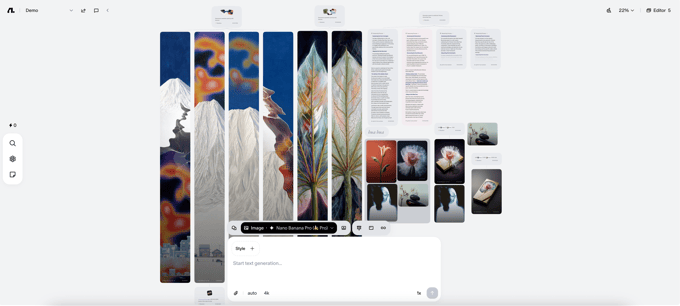
The Canvas Cowork walkthrough shows how to give two revisions the same parent. The nodes show inputs and results; they are not a transcript of the model’s internal reasoning.
Choose the output before the model
The other change was at the start of a flow. The interface groups creation by what you want to make, then offers the models for that mode. In the launch screenshot, the composer and mode controls sit next to the canvas. The current choices and credit estimate are shown in the workspace, not in the screenshot.
For the release record, see Flowith updates. To decide which nodes to include in a follow-up, see how Flowith handles follow-ups and quotes.


