
How to Make a 15-Second Product Video Without Losing the Label

Try the related Flowith workflow
On this page
The bottle looks convincing at full size, yet its label is hard to read once the entire arrangement fits on a phone. We made a 15-second vertical edit from one square perfume packshot to show where to put the close-up. Watch the finished 720 × 1280 MP4. The demonstration uses crops and pans of the original photograph. The headlines were added separately from the bottle artwork.
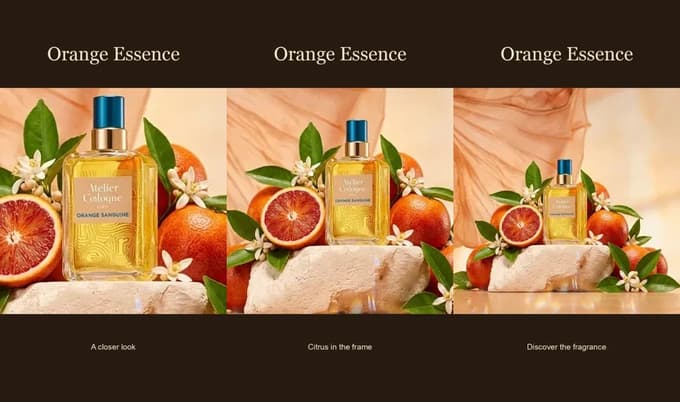
Three shots from one photo
| Time | Frame | Editing decision |
|---|---|---|
| 0–5 seconds | Bottle label and blue cap | Start tight enough for the printed brand name to be visible. Pull back slightly. |
| 5–10 seconds | Blood orange beside the bottle | Pan toward the bottle across a wider crop, keeping the original packaging pixels. |
| 10–15 seconds | Full packshot | Hold the entire square photograph and place the closing line underneath. |
The last shot gives the fruit and fabric room, at the cost of label size. Keeping the close-up first solves that tradeoff. A square image centered in a vertical frame also leaves space for a headline and closing line without covering the product.
Two Muse Video takes from the same packshot
We uploaded the original photo twice and changed the camera instruction. Both runs used Muse Video on Flowith with five seconds, 1:1 and 720p selected. Both downloaded MP4s contain an audio track and measure 944 × 960 pixels. Check the export dimensions before placing a take in a square ad.
Take 1 · Push in to read the label
Hold on the amber perfume bottle in the reference photo. The camera slowly pushes toward the front label. Keep the bottle upright, the blue cap centered, and the existing lettering readable. Quiet room tone.
Play the five-second push-in. The bottle stays upright and “Orange Sanguine” is readable in the late close-up. At 2.5 seconds the blue cap still fits in frame. By 4.8 seconds the camera has cropped it out. Use this take as a label detail and cut to a wider view for the full package.
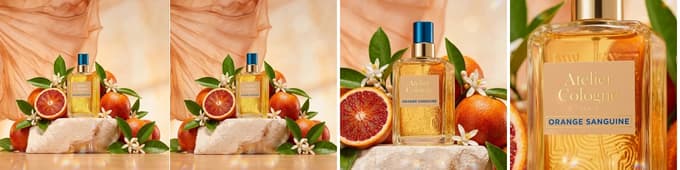
Take 2 · Hold the entire package
Locked camera on the reference photo. The perfume bottle, cap, label and fruit stay still. Only the peach fabric in the background stirs gently. Quiet room tone.
Play the five-second locked shot. The blue cap and sliced orange stay in frame at all three pause points. The pink fabric shifts behind the bottle. The label occupies less of the frame than in the push-in. This take works as a closing shot after the viewer has seen the name up close.
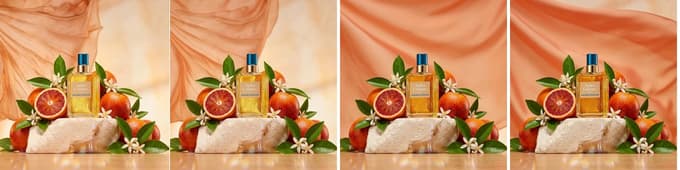
Try it with your product
Upload a clean packshot in Flowith Code Video. Ask for three five-second beats. Give each beat one crop, one camera instruction and the exact on-screen words. Export a preview, watch it at phone size, and freeze the final frame of each shot beside the source image. Look at the smallest printed word and a fixed detail such as the top edge of the cap.
If you want the fabric or reflections to move independently, try the same image with the Muse Video generator. Keep the photographed edit as the reference for whether a generated take preserves the packaging.


