
Introduction
Creatives, designers, and developers face a common bottleneck: turning abstract ideas into polished, usable 3D assets. Traditional tools require deep expertise, long learning curves, and disjointed apps that break the creative flow, leading to wasted time and unfulfilled potential.
Flowith’s canvas-first AI workspace helps creators move from early ideas to structured visual concepts, while Tripo Studio’s intuitive AI 3D generator extends that process into 3D. Together, they create a more connected workflow from brainstorming to final asset creation. This guide walks through how to move from idea to concept, then from image to image to 3D model output within one cohesive creative process.
Why Flowith and Tripo Work Well Together
Creative work requires both structured planning and free experimentation—That balance can be difficult to balance with traditional tools. Flowith and Tripo complement different parts of that process
- Flowith’s Creative Organization: Flowith gives creators a flexible canvas for mapping ideas, collecting references, and developing concepts step by step. Instead of forcing creativity into rigid folders or chat threads, it keeps the full thinking process visible and easy to revisit.
- Tripo Studio’s 3D Execution: Delivers fast image to 3D model generation from sketches/AI images; clean topology, segmentation, and texturing; browser-based (no heavy installs); batch processing for asset libraries.
Used together, Flowith and Tripo can support a more connected creative workflow: idea → concept → image → 3D → polish → export.
From Brainstorm to 3D Asset – The Complete Creative Journey
- Ideate & Organize in Flowith: Use Flowith’s infinite canvas to explore directions, gather references, and shape the early creative brief. AI Agents can help expand initial ideas, suggest alternatives, and make it easier to develop concepts before production begins.
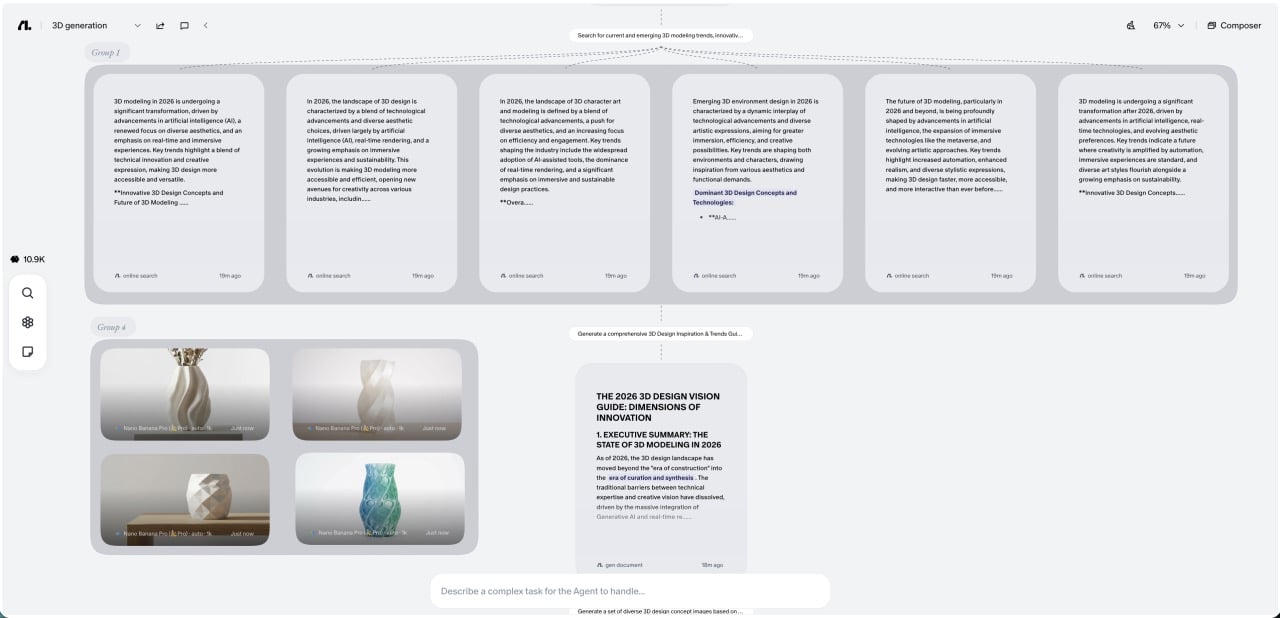
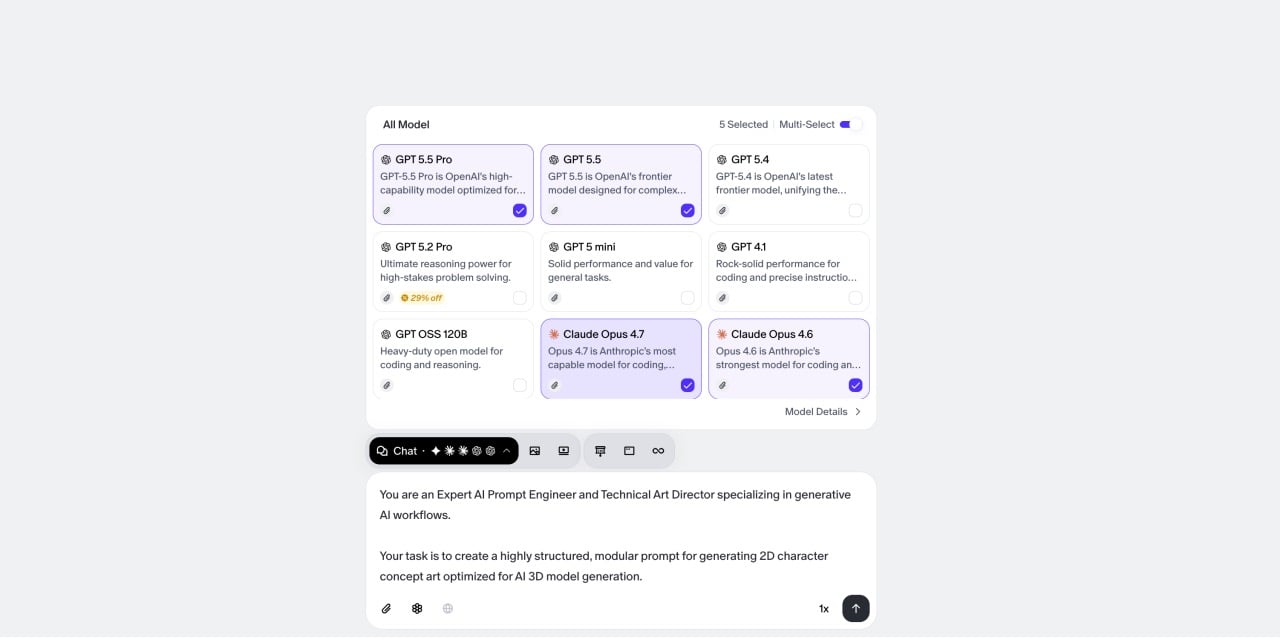
- Refine Prompts for Visual Concept Generation: Once the direction is clear, refine prompts inside Flowith so the visual output stays aligned with the intended style, composition, and mood.
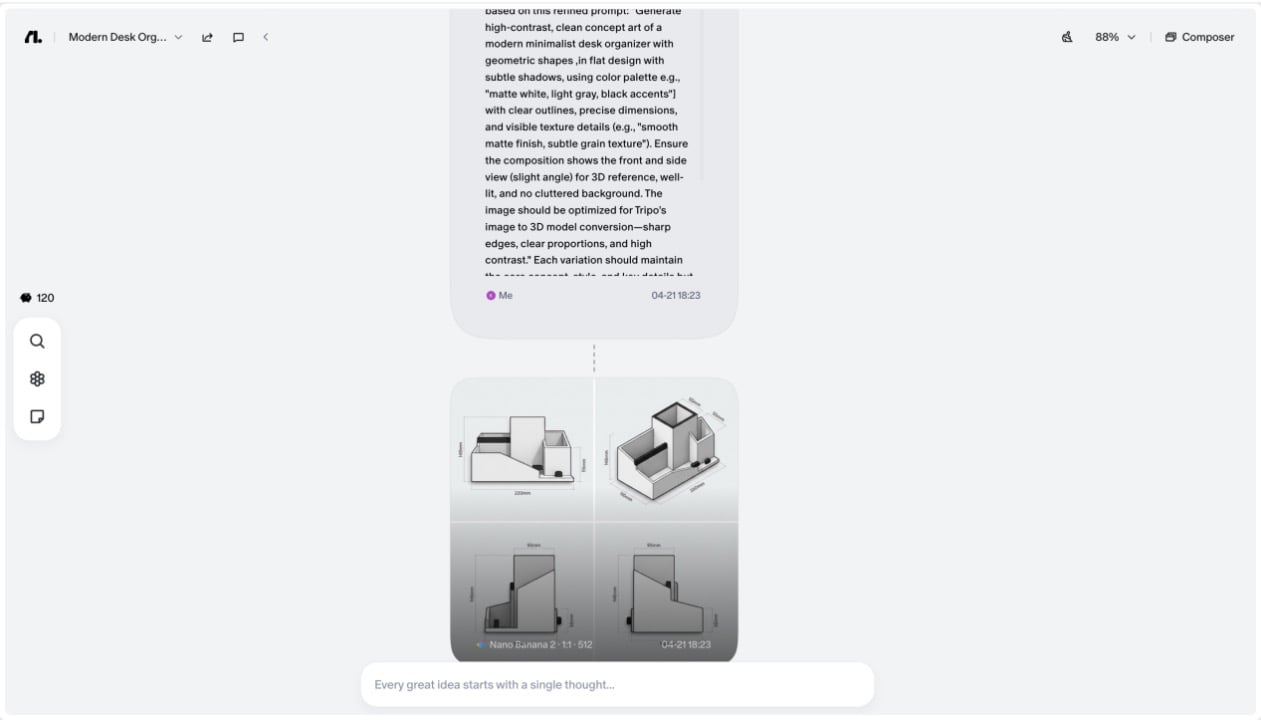
- Generate Visual Concepts in Flowith: Use Flowith’s integrated image models to create clear concept art or sketches for 3D conversion. Well-defined visuals with consistent styling give Tripo’s AI 3D model generator a stronger starting point and make it easier to choose the most effective version for 3D development.
-
Prepare Visuals for Tripo Integration: Select the best concept art from Flowith and refine it for optimal 3D conversion. Adjust contrast and sharpness to enhance outline clarity, crop the image to focus on the core subject, and ensure the resolution is high enough (1080p or higher) to preserve details. Export the refined visuals in PNG format to maintain quality and avoid compression artifacts.
-
Convert to 3D & Refine Mesh in Tripo Studio: Import the visuals into Tripo Studio and use its image to 3D model function to create a base mesh. Apply AI segmentation to separate distinct elements for precise editing. Refine the mesh to fix flaws, smooth contours, and ensure the 3D shape matches the 2D concept’s proportions and details.
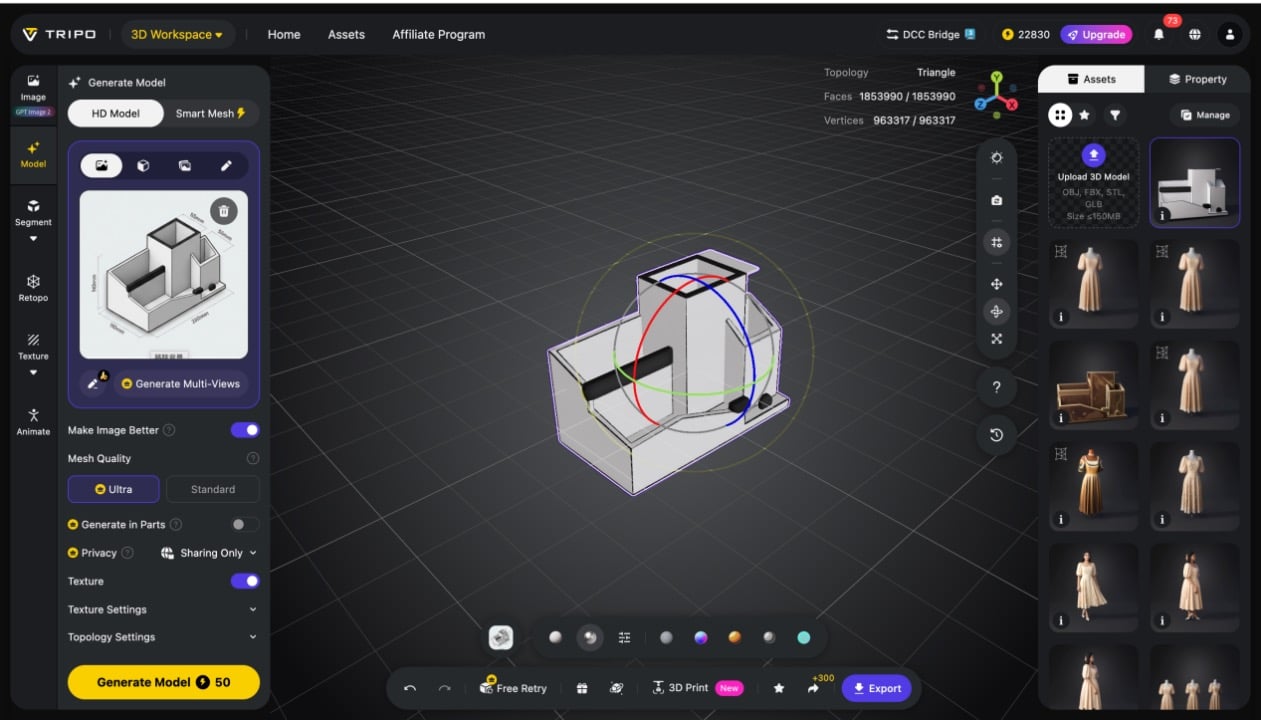
- Add Textures, Rigging & Export: Enhance the 3D model with realistic textures that match your concept art (e.g., fabric, metal, skin) using Tripo’s editing tools. Add rigging if needed for animation or interactive use, ensuring joints and movements are natural. Finally, export the final 3D asset in formats suitable for your use case—GLB for AR/web, OBJ for further editing, FBX for games/animation, or STL for 3D printing.
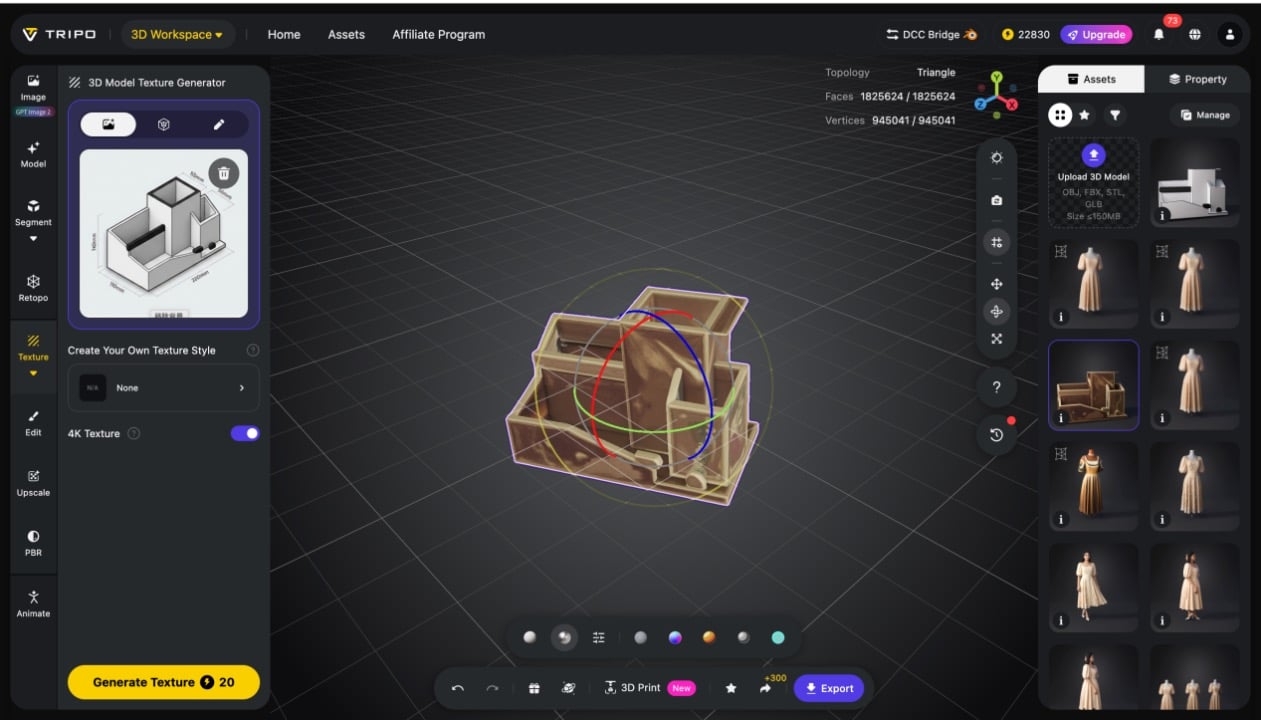
This workflow helps keep the creative process connected, with Flowith supporting ideation and concept development, and Tripo extending that work into 3D production. The result is a more practical path from early thinking to production-ready assets.
Real-World Use Cases for Every Creator
Flowith and Tripo’s partnership benefits creators across industries, from indie game developers to brand marketers. Below are the most impactful use cases, tailored to different creative roles:
- Indie Game Developers: Use Flowith to manage design docs and mood boards; Tripo delivers game-ready 3D characters, items, and environments—cutting months from pre-production.
- Concept Artists & Designers: Turn Flowith sketches into presentation-ready 3D visuals; impress clients with interactive models instead of flat images, boosting professionalism and client satisfaction.
- Brand & Marketing Teams: Store style guides in Flowith, use Tripo to create 3D logos, mascots, and product mockups—ensuring brand consistency across all 3D assets.
Pro Workflow Hacks for Maximum Efficiency
To get the most out of Flowith and Tripo, use these pro hacks to streamline your workflow, save time, and improve the quality of your 3D assets:
- Save creative templates in Flowith for repeated asset types (e.g., character concept boards, product style guides) to cut down on repetitive work.
- Use consistent front-facing views in Flowith-generated images to maximize image or text to 3D model accuracy—this ensures the 3D mesh matches your concept vision.
- Leverage Flowith’s AI Agents to generate multiple prompt variations, then use Tripo’s batch generation to create diverse 3D asset sets in minutes.
The Future of AI-Driven Creation
AI creation workflows are becoming more modular, with different tools supporting different stages of the process. In that context, Flowith works especially well as a space for thinking, organizing, and developing ideas, while Tripo adds a practical path into 3D production. Together, they point to a more connected way of creating, where concept development and execution no longer have to feel disconnected.

Conclusion
Flowith and Tripo Studio support different parts of the same creative process. Flowith helps bring structure to early thinking, while Tripo helps carry polished AI 3D generator assets. For creators working across concept development and production, that combination can make the path from idea to image to 3D model reality feel more continuous, practical, and easier to manage, whether you build games, animations, marketing content, or original IP
Step into the future of creative production—where ideas flow freely, and 3D asset creation is accessible to every creator.
Ready to create with Flowith?
Open Flowith, bring your ideas onto the canvas, and turn concepts into production-ready workflows.