
Sequence Diagram Generator
Quick answer
Draft a sequence diagram from a bounded system description or code sample, then validate participants, branches, retries, and messages against the real system.
Why choose our Sequence Diagram Generator?

Natural Language to Diagram
Describe a bounded interaction in plain English, then verify the proposed participants and messages against code, API contracts, traces, queues, retries, and failure behavior.

Code-Aware Generation
Provide a bounded code path and context, then verify the drafted calls, requests, queries, branches, and asynchronous behavior against runtime evidence.
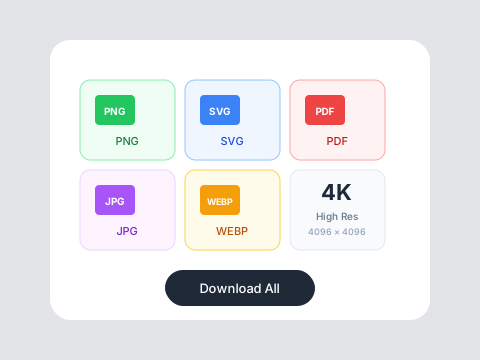
Developer-Friendly Exports
Check current export controls, validate text-based syntax in the target renderer, and keep the reviewed diagram source in version control.
Who is it for?
For Software Developers
Document API interactions, debug async flows, and communicate system design without spending hours in diagramming tools.
For System Architects
Quickly visualize complex microservice interactions, event-driven architectures, and integration patterns.
For Technical Writers
Create reviewable sequence-diagram drafts for documentation, then validate them against the implemented system.
AI Diagrams vs Manual Diagramming
Manual Tools
Flowith AI
Input Method
Drag and drop boxes manually, tedious alignment.
Describe in natural language or paste code - AI generates the diagram.
Code Integration
No connection to actual codebase.
Drafts a sequence flow from supplied code and context for verification.
Updates
Rebuild from scratch when requirements change.
Edit the description and regenerate, then compare the flow with the real system.
Export Options
Limited to proprietary formats.
Export to SVG, PNG, Mermaid, PlantUML, and more.
How to create a sequence diagram in 3 steps?
Describe or Paste Code
Write a natural language description of your system flow or paste the relevant code snippet.
Review & Refine
Generate a draft, edit participants, messages, conditions, and notes, then validate it against code, logs, traces, and contracts.
Export & Document
Download in your preferred format. Embed in documentation, wikis, or presentations.
Related free AI tools
Continue the workflow with adjacent Flowith tools for ideation, visuals, diagrams, and social creative.
Frequently Asked Questions
Start generating diagrams today
Document your systems faster with AI-powered diagramming.